How To Approve Transaction
The Approve section allows you to approve the transaction with pending state.
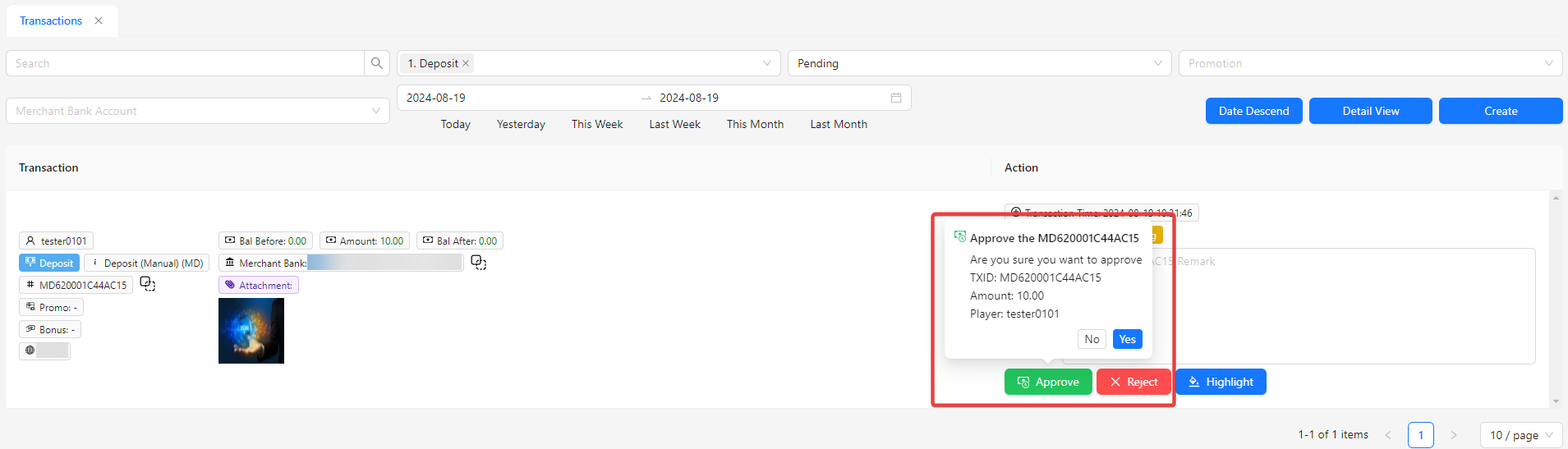
- By clicking the Approve button, a confirmation message will appear, displaying the TXID, Amount, and Player details. Please review these details carefully before proceeding with approval.
Trasaction with Approved
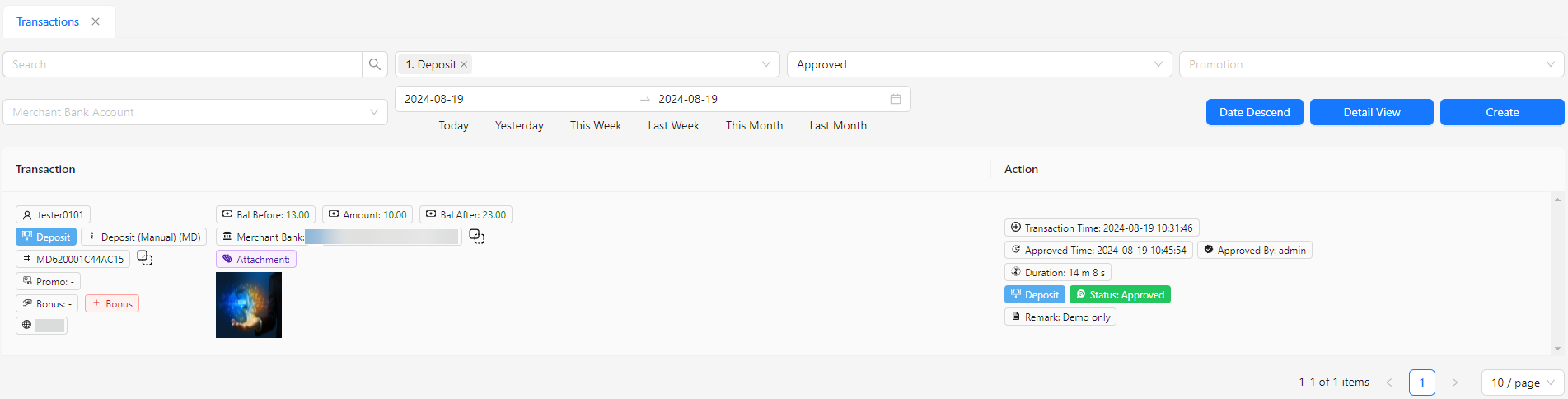
- Once approved, you can filter the transaction listing by the "Approved" status to easily locate approved transactions. All details will be displayed in the listing.