Create Transaction
The Create Transaction section allows you to create different type of transaction.

- Transaction Type: Choose the type of transaction, including manual deposit, manual withdrawal, manual bonus, drop transaction deposit, and drop transaction games.
- Site: Select the site associated with the transaction.
- Additional Fields: Relevant fields will appear once you have selected the transaction type and site.
Manual Deposit Transaction
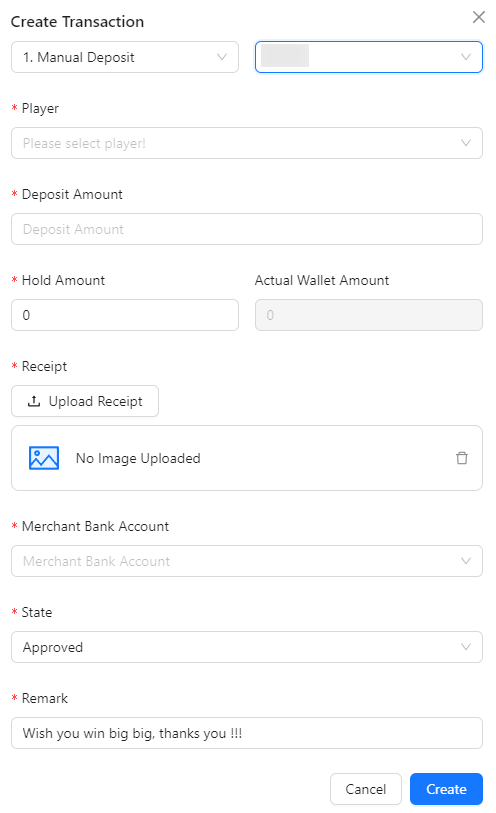
- Player: Select the player for the transaction.
- Deposit Amount: Input the deposit amount.
- Hold Amount: Input the hold amount.
- Actual Wallet Amount: This field is disabled and auto-calculates based on the deposit and hold amounts (Deposit Amount - Hold Amount).
- Receipt: Upload the receipt for the transaction.
- Merchant Bank Account: Select the merchant bank for the transaction.
- State: Choose the transaction status (Pending, Approved, or Rejected). The default selection is Approved.
- Remark: Add a remark for the transaction creation.
Manual Withdrawal Transaction
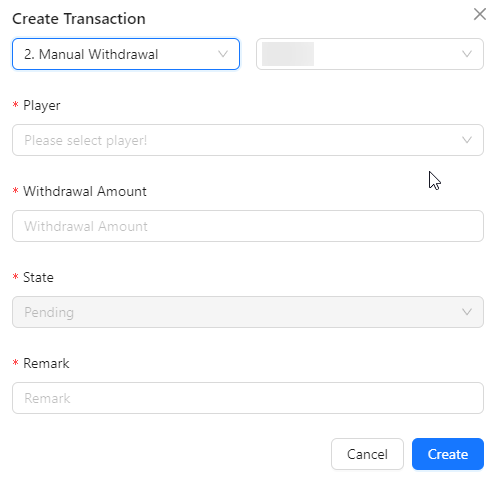
- Player: Select the player for the transaction.
- Withdrawal Amount: Input the deposit amount.
- State: The default selection is Pending and is disabled field.
- Remark: Add a remark for the transaction creation.
Manual Bonus Transaction
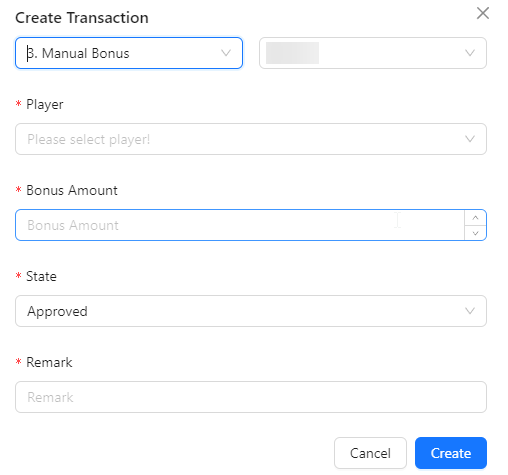
- Player: Select the player for the transaction.
- Bonus Amount: Input the deposit amount.
- State: Choose the transaction status (Pending, Approved, or Rejected). The default selection is Approved.
- Remark: Add a remark for the transaction creation.
Drop Transaction Deposit
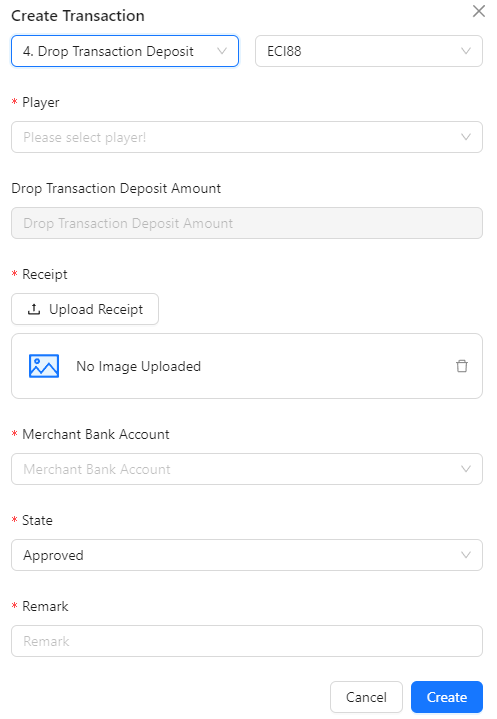
- Player: Select the player for the transaction.
- Parent: After selecting a player, the parent field will appear for you to select the TXID.
- Drop Transaction Deposit Amount: Once the TXID is selected in the parent field, the drop transaction deposit amount will be displayed. This field is disabled.
- Receipt: Upload the receipt proof.
- Merchant Bank Account: Select the merchant bank for the transaction.
- State: Choose the transaction status (Pending, Approved, or Rejected). The default selection is Approved.
- Remark: Add a remark for the transaction creation.
Drop Transaction Game

- Player: Select the player for the transaction.
- Drop Transaction Game Amount: Input the drop transaction game amount.
- State: Choose the transaction status (Pending, Approved, or Rejected). The default selection is Approved.
- Remark: Add a remark for the transaction creation.