Create / Edit Support
The Create / Edit Support section allows you to add new support entries to the system.
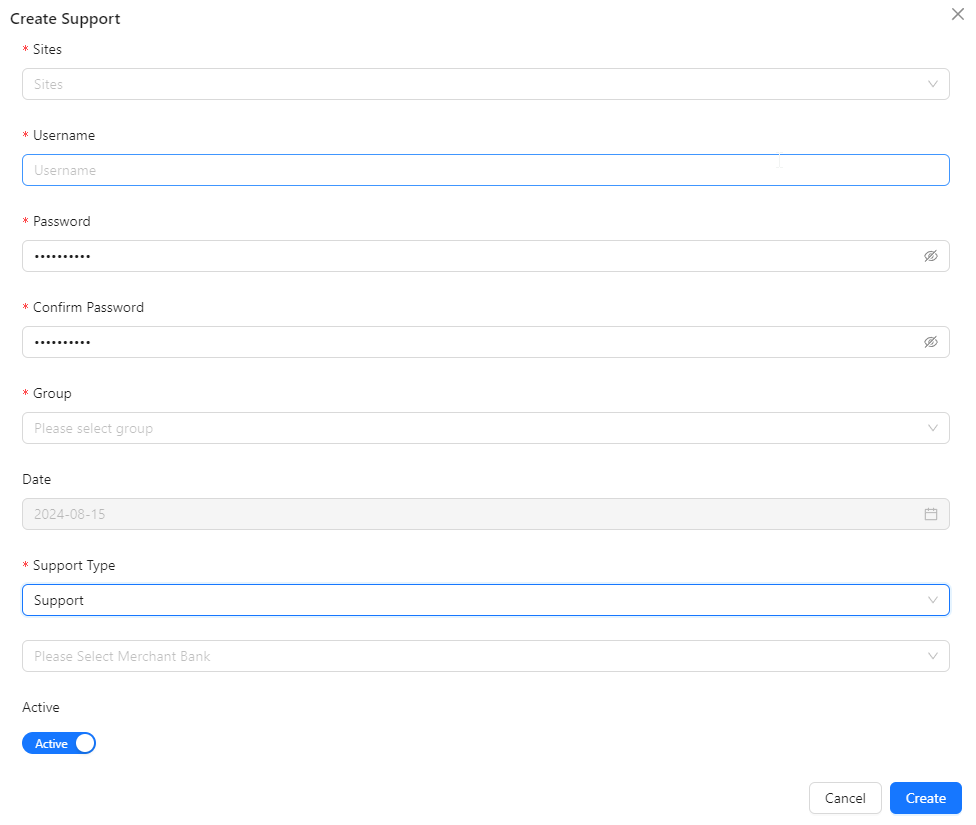
- Sites: Specify the sites associated with the support account.
- Username: Enter the username for the support account.
- Password: Set the password for the support account.
- Confirm Password: Re-enter the password to confirm.
- Group: Assign the support account to a specific group.
- Date: Provide the relevant date for the support account creation or assignment.
- Support Type: Identify the type of support as below:
- Payment Gateway
- Agent
- Support
- Ewallet
- Merchant Bank Account: Assign a merchant bank account to the support account for managing financial transactions and account details.
- Active: Indicate whether the support account is active or inactive.