View Skin Config
The View Skin Config section allows you to customize and manage the layout and appearance of your application's front end. This feature helps you configure various visual elements and styles, ensuring that the design aligns with your preferences and enhances the user experience.
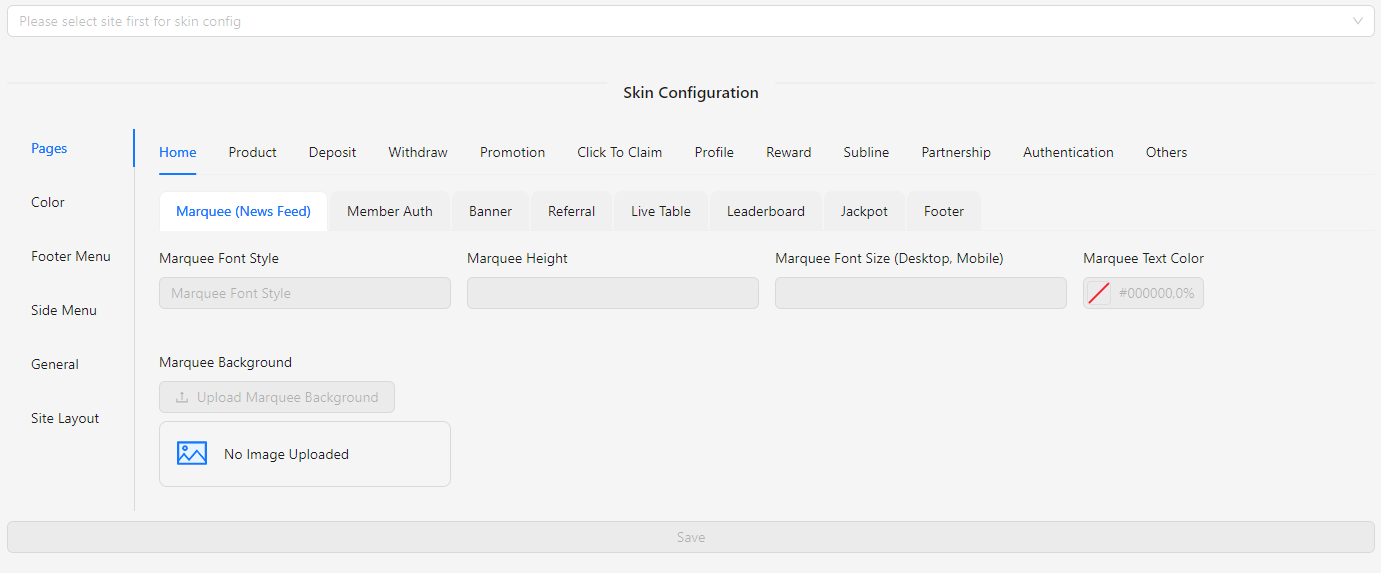
How to Configure
- Select Site: To configure the skin, start by selecting the site. The save button will only be enabled once a site is selected.
Skin Config (Selected Site)
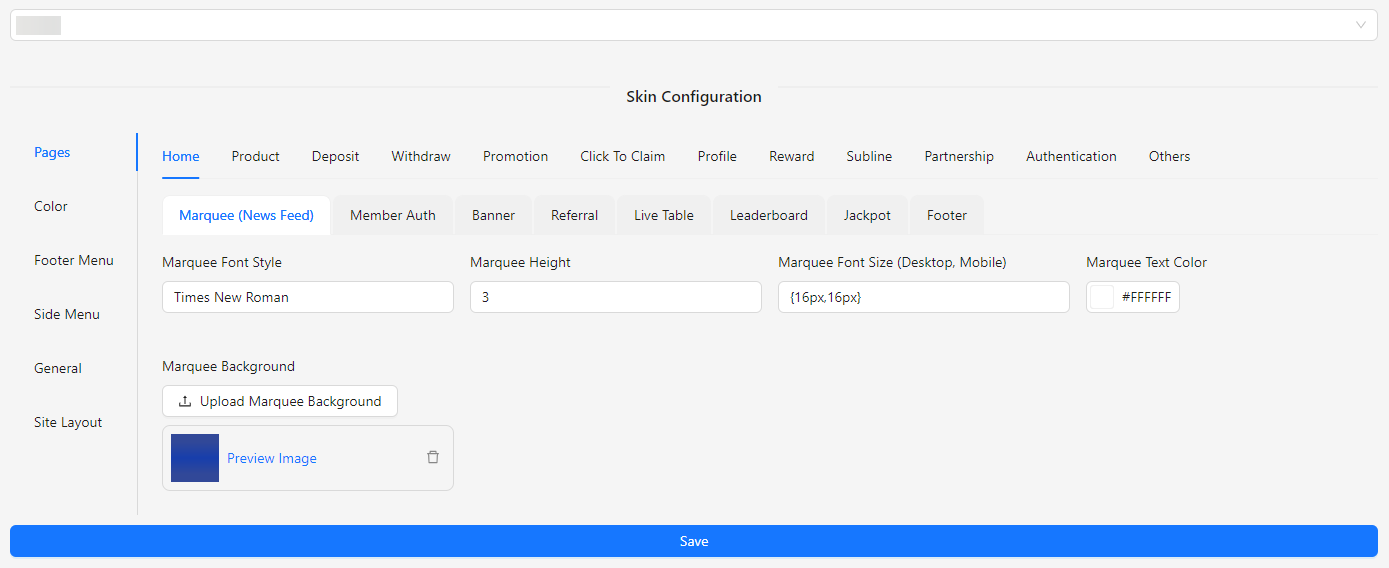
- Pages: Manage the various pages of your site, including Home, Product, Deposit, Withdraw, Promotion, Click To Claim, Profile, Reward, Subline, Partnership, Authentication, and any additional pages.
- Color: Customize the color scheme of your site to match your brand's identity or design preferences.
- Footer Menu: Configure the items and layout of the footer menu that appears at the bottom of your site.
- Side Menu: Set up and manage the side menu, including its items and layout, for easy navigation on your site.
- General: Adjust general site settings, including region-specific options, layout preferences, and other miscellaneous settings.
- Site Layout: Define the overall layout of your site, including the arrangement of content, sections, and visual elements.