View Player
The View Player section provides an overview of all player-related information within the system.
Toolbar

- Search: Allow to search for related player names to quickly locate specific player information.
- Active: Display the status of player, showing which ones are currently active or inactive.
- Create: Create a new player. 🔗
Listing
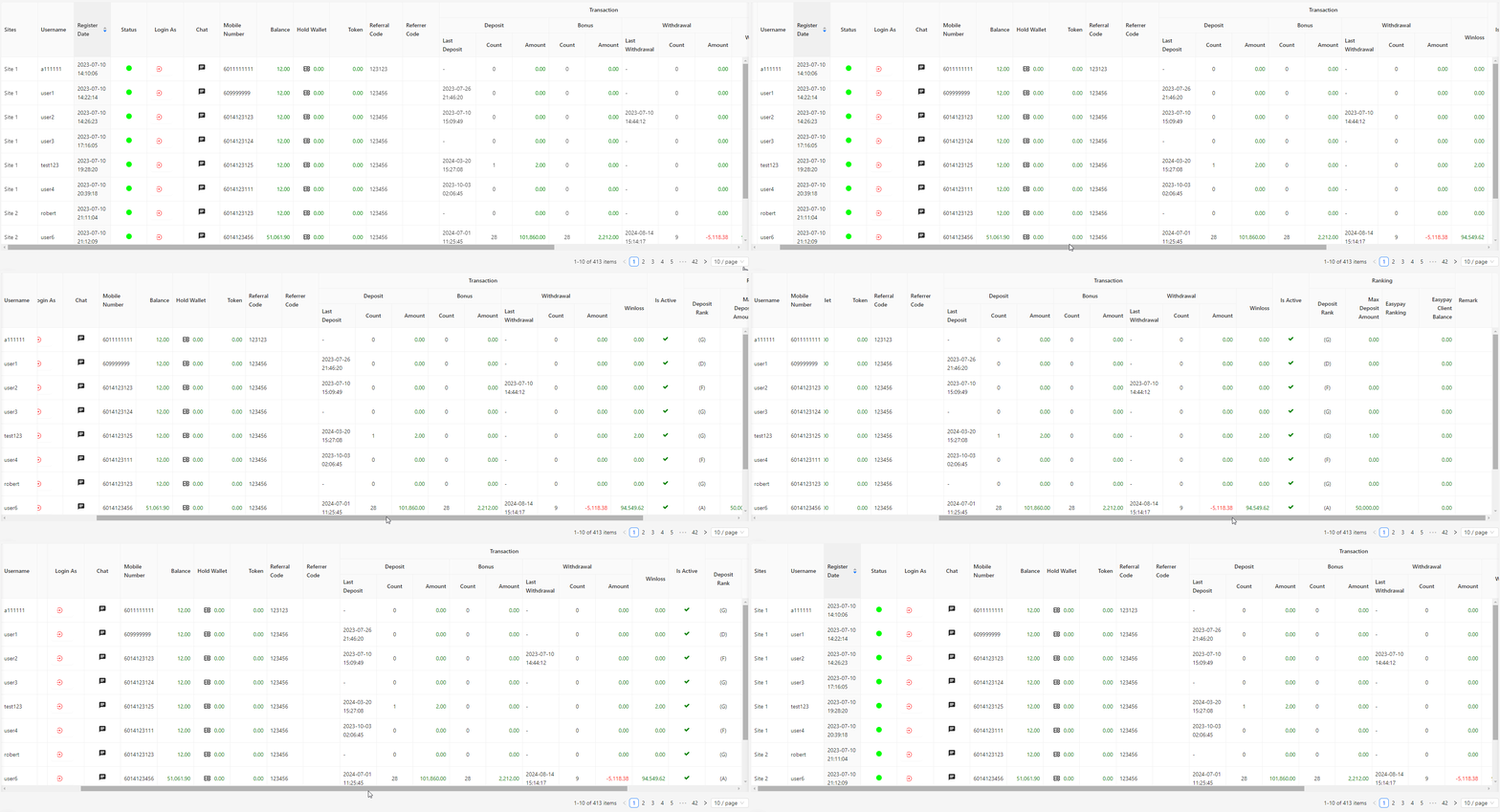
- Sites: Displays the site associated with the player’s account.
- Username: Lists the username of the player.
- Register Date: Shows the date when the player registered in the system.
- Status: Indicates the current status of the player, such as active or inactive.
- Login As: Provides options to log in as the selected player for management or support purposes.
- Chat: Allows communication with the player through a chat interface.
- Mobile Number: Shows the mobile number associated with the player's account.
- Balance: Displays the current balance in the player’s account.
- Hold Wallet: Indicates the amount held in the player's wallet, often reserved for specific purposes. This amount can be clicked to initiate a credit transfer to or from the player’s account. 🔗
- Token: Shows the token or security code associated with the player’s account.
- Referral Code: Lists the referral code used by the player, if applicable.
- Transaction:
- Deposit: Details deposit transactions made by the player.
- Bonus: Provides information on bonuses credited to the player.
- Withdrawal: Shows withdrawal transactions made by the player.
- Winloss: Displays the player's win/loss record.
- Active: Indicates whether the player is currently active or inactive.
- Ranking:
- Deposit Rank: Shows the player's ranking based on deposit amounts.
- Max Deposit Amount: Displays the highest deposit amount made by the player.
- Easypay Ranking: Provides the player’s ranking based on Easypay transactions.
- Easypay Client Balance: Shows the balance of the player’s Easypay client account.
- Remark: Allows notes or comments to be added for the player’s account.