Create Player
The Create Player section enables you to add new players to the system, facilitating the inclusion and management of player profiles.
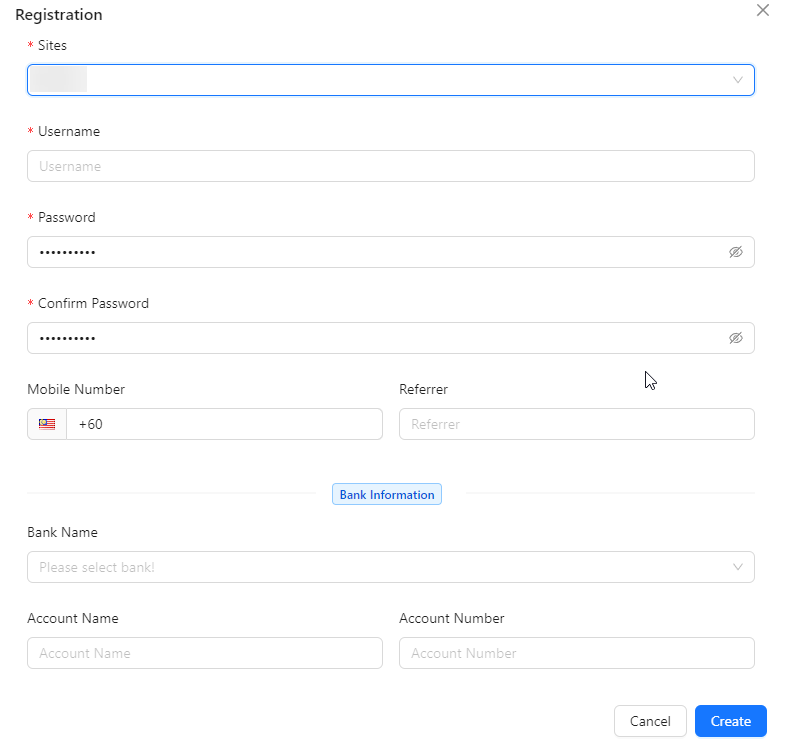
- Sites: Select the appropriate site.
- Username: Enter the player's username.
- Password: System automatically generates a temporary password, but you can change it.
- Confirm Password: System automatically generates a temporary password, but you can change it.
- Mobile Number: Enter the player's mobile number.
- Referrer: Enter the username of the referrer, if applicable.
- Bank Name: Select the player's bank from the available options.
- Account Name: Enter the name associated with the player's bank account.
- Account Number: Enter the player's bank account number.