View Social
The View Social section provides an overview of all social-related information within the system.
Toolbar

- Search: Allow to search for related social names to quickly locate specific social information.
- Active: Display the status of social, showing which ones are currently active or inactive.
- Create: Create a new social. 🔗
Listing
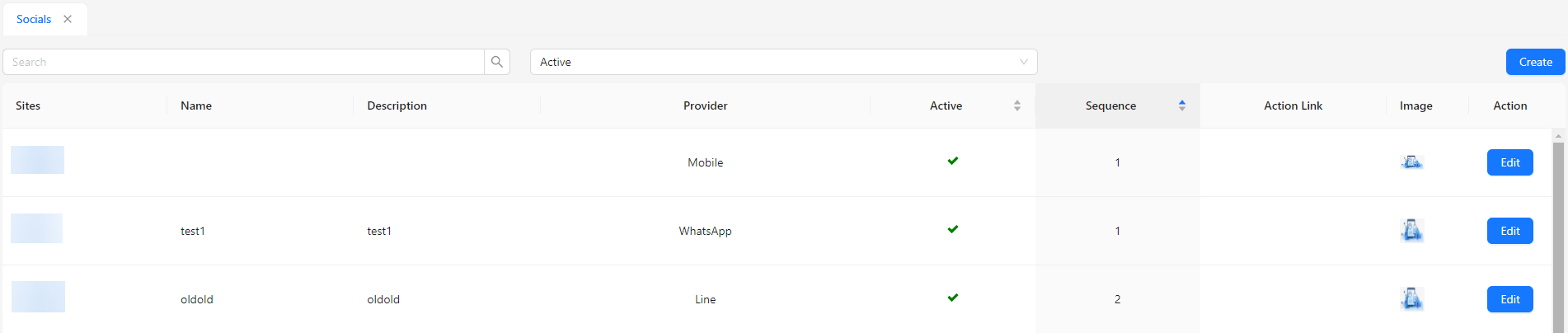
- Sites: Indicates the site or platform where the social contact information is displayed.
- Name: Shows the name or title of the social contact entry.
- Description: Provides a brief description of the social contact or its purpose.
- Provider: Specifies the communication platform or service, such as Mobile, WhatsApp, Line, WeChat, or Telegram.
- Active: Shows whether the social contact entry is active or inactive.
- Sequence: Determines the order in which the social contact information appears.
- Action Link: Displays the link associated with the social contact, such as a direct messaging link.
- Image: Displays any associated image or icon for the social contact.
- Action: Allows for editing of the social contact details.