Create / Edit Promotion Group
The Create / Edit Promotion Group section allows you to add and edit new promotion group entries to the system.
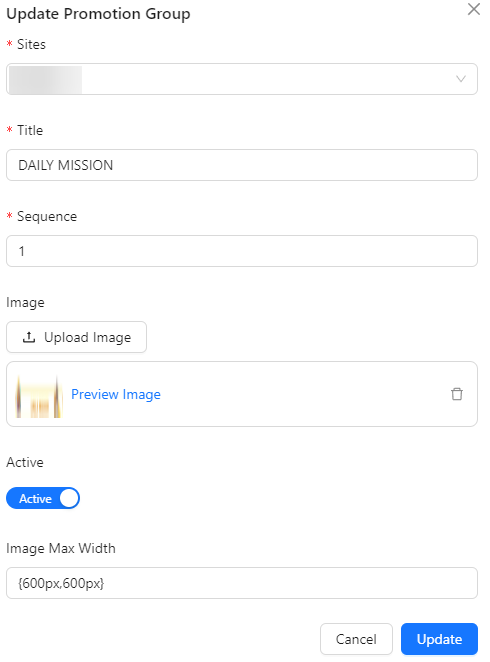
- Sites: The locations or platforms where the promotion group will be applied.
- Title: The name or title of the promotion group.
- Sequence: The order or priority of the promotion group in the list.
- Image: An image representing the promotion group.
- Active: Indicates whether the promotion group is currently active or inactive.
- Image Max Width: The maximum width allowed for the image associated with the promotion group.