View Notices
The View Notices section provides an overview of all notice-related information within the system.
Toolbar

- Search: Allow to search for related notices names to quickly locate specific notices information.
- Active: Display the status of notices, showing which ones are currently active or inactive.
- Create: Create a new notices. 🔗
Listing
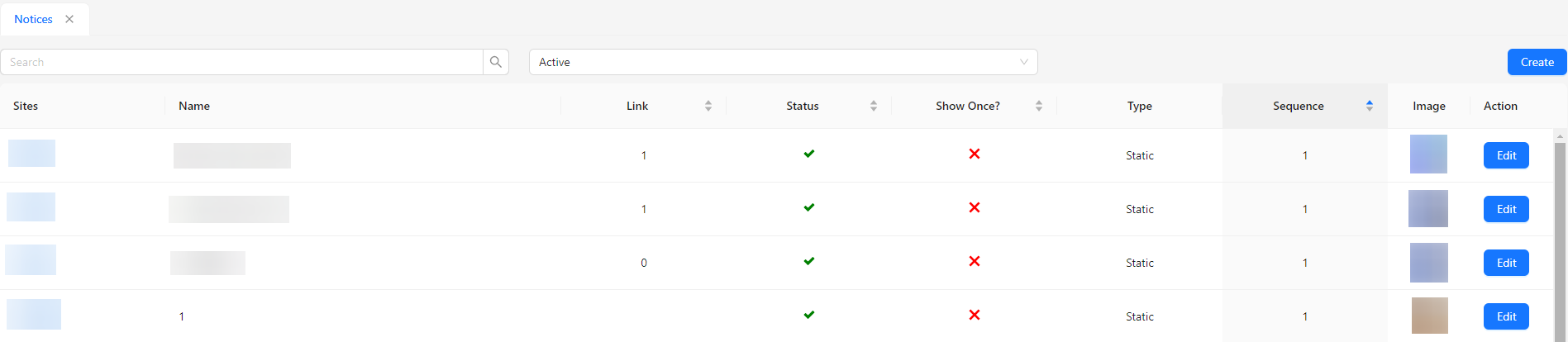
- Sites: Indicates the site or platform where the notice is displayed.
- Name: Shows the name or title of the notice.
- Link: Displays the number of popup-type notices. If the value is
1, it indicates there is one popup notice, and clicking it will redirect the user to the specific link set for that notice. - Status: Shows whether the notice is active or inactive.
- Show Once?: Indicates if the notice should be shown only once to each user.
- Type: Specifies whether the notice is static or a popup.
- Sequence: Determines the order in which the notice appears.
- Image: Displays any associated image for the notice.
- Action: Allows for editing of the notice details.