Create / Edit Kiosk Access
The Create / Edit Kiosk Access section allows you to add product kiosk access username and password
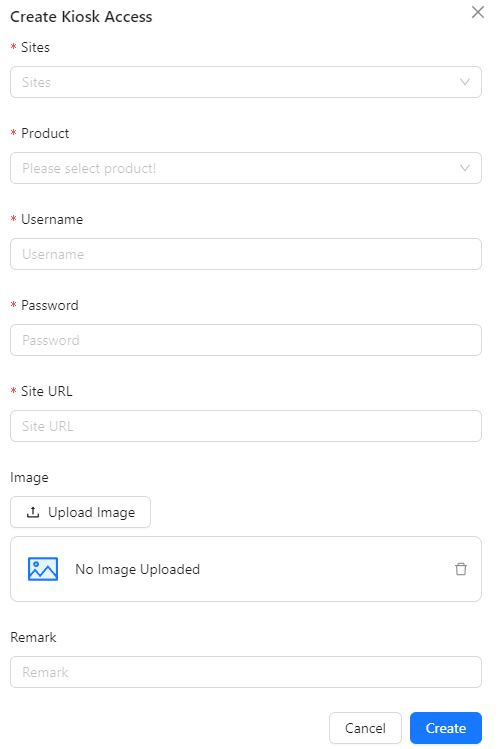
- Sites: Enter the name or identifier of the kiosk location or site where the kiosk is deployed.
- Product: Specify the product or service associated with this kiosk.
- Username: Provide the username required to access the kiosk system for this product.
- Password: Enter the password corresponding to the provided username for accessing the kiosk.
- Site URL: Input the URL of the kiosk's site or online management interface.
- Image: Upload an image related to the kiosk, such as a logo or photo of the kiosk itself.
- Remark: Add any additional notes or remarks about the kiosk access entry, providing further context or details.