View Environment Variable
The View Environment Variable section allows you to manage and configure environment variables for your application. This feature is designed to help you efficiently handle various environment settings, including adding new variables and editing existing ones in inline edit mode.
Toolbar

- Search: Allow to search for related currencies to quickly locate specific currencies information.
- Module: Allows users to filter the listing by module to quickly locate specific environment variables information.
- Create: Create a new Environment Variable. 🔗
View Environment Variable
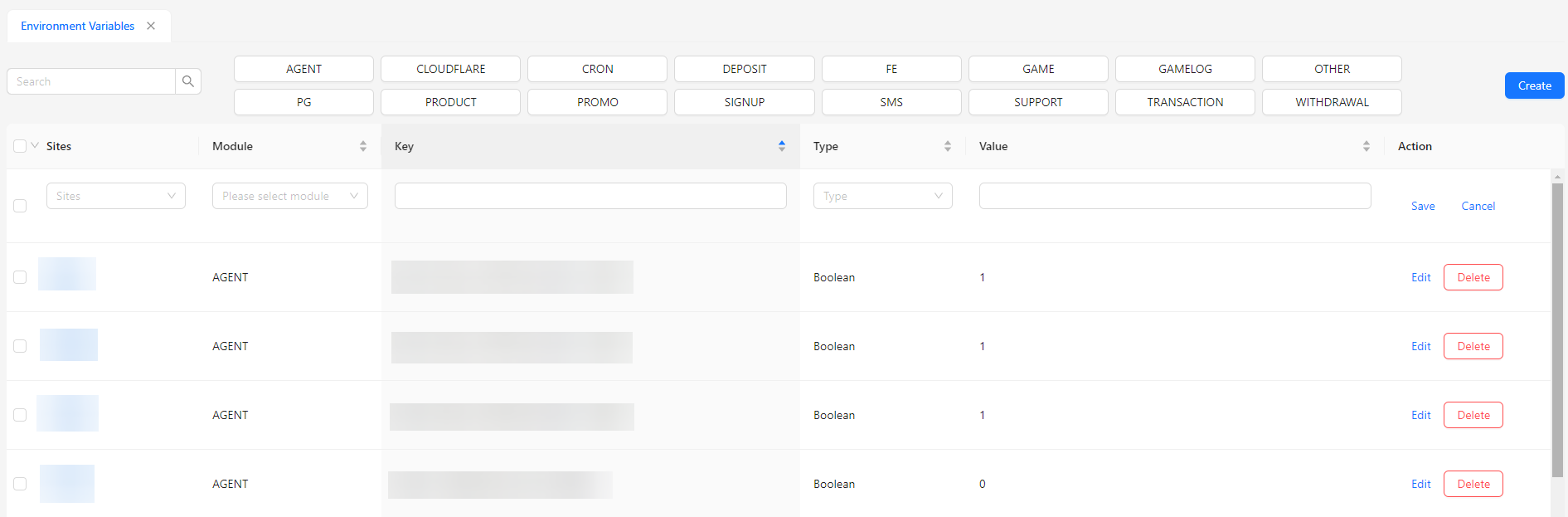
- Sites: Displays the site associated with the environment variable.
- Module: Shows the module to which the environment variable belongs.
- Key: Displays the key or name of the environment variable.
- Type: Indicates the type of the environment variable (e.g., string, number, boolean).
- Value: Shows the boolean value assigned to the environment variable (1 for true, 0 for false).
- Action: Provides options to edit or delete the environment variable.