View Cash Transfer
The View Cash Transfer section provides an overview of all cash transfer for the merchant bank account in the system.
Toolbar

- Date Picker: Allows users to filter all reports by selecting a specific date range.
- Transfer Type: This allows you to filter cash transfer based on transfer type.
- Merchant Bank Account: This allows you to select the merchant bank and do the cash trasnfer in inline mode.
Listing
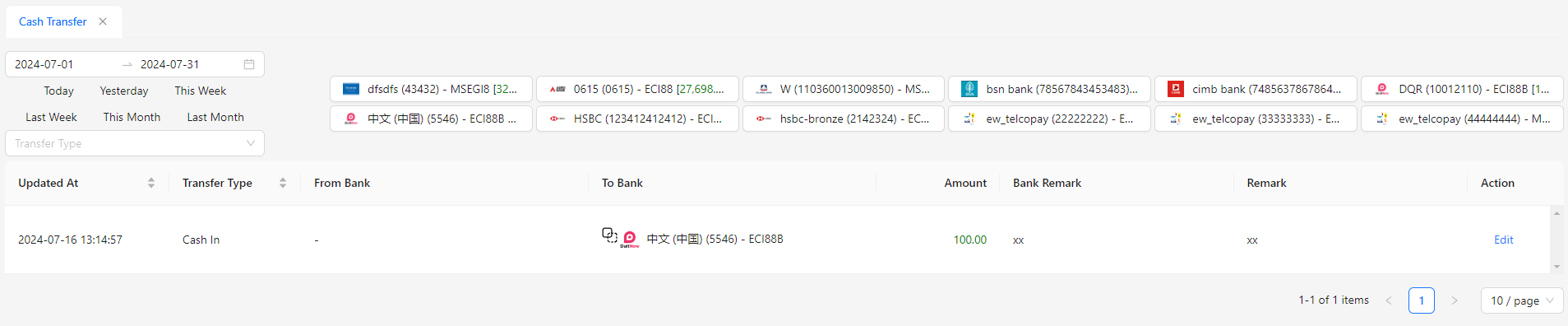
- Updated At: The date and time when the cash transfer was last updated.
- Transfer Type: The type of cash transfer, such as Cash In, Cash Out, or Intercompany.
- From Bank: The merchant bank from which the funds are being transferred.
- To Bank: The merchant bank to which the funds are being transferred.
- Amount: The total amount of the cash transfer.
- Bank Remark: Any notes or remarks related to the bank involved in the transfer.
- Remark: Additional comments or details about the cash transfer.